
The 9 Most Common XML Sitemap Errors (and Exactly How to Fix Each One)
By the Stellah Team · Updated July 24, 2026
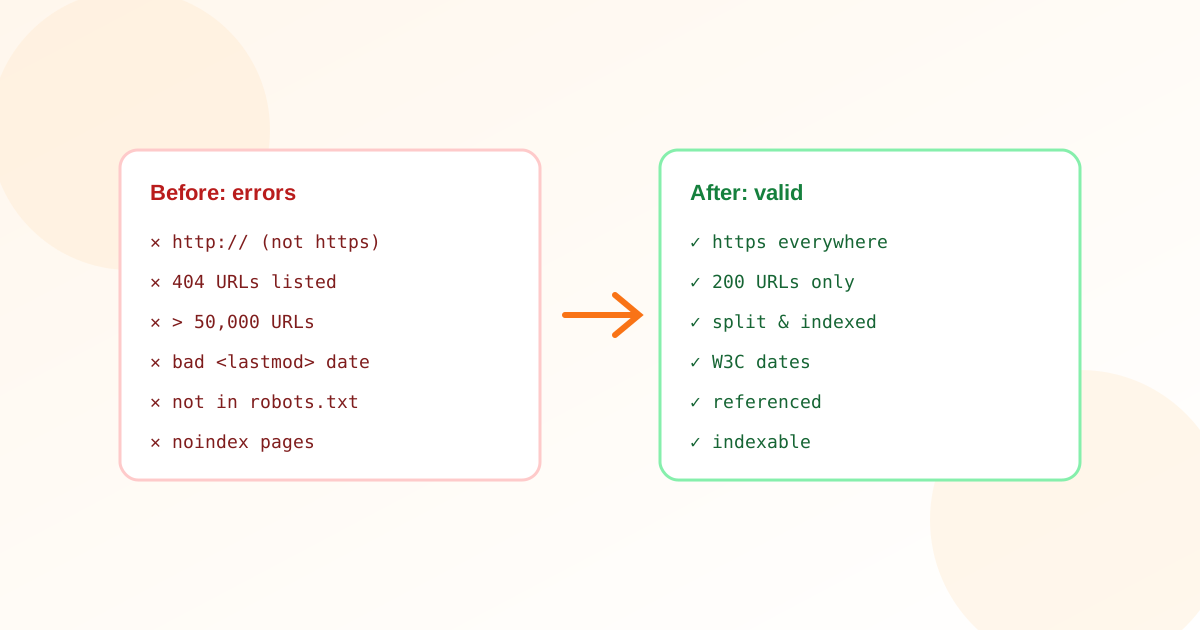
Most sitemap problems are invisible until indexing quietly stalls. A validator surfaces them in seconds — but the report only helps if you know what each error means and how to fix it. Here are the nine you'll actually hit, in the order they matter.
1. Malformed XML
A stray unescaped ampersand or angle bracket makes the whole file unparseable, so crawlers reject every URL in it. Fix: escape special characters (& becomes &), and never hand-edit a generated sitemap — regenerate it.
2. URLs that return 404 or redirect
A sitemap is a list of pages you want indexed as-is. 404s and redirect chains contradict that and waste crawl budget. Fix: only include final, canonical URLs that return 200.
3. Noindex / canonical conflicts
Listing a URL that carries a noindex tag, or that canonicalises to a different page, sends Google a contradiction. Fix: a URL belongs in the sitemap only if it's meant to be the indexed, canonical version.
4. Wrong protocol or hostname
http:// entries on an https site, or www vs non-www mismatches, turn every URL into a redirect. Fix: match your canonical domain exactly, https included.
5. Over the size limits
A single sitemap tops out at 50,000 URLs and 50 MB uncompressed. Beyond that, later entries are ignored. Fix: split into multiple sitemaps behind a sitemap index file.
6. Invalid <lastmod> dates
Dates must be valid W3C format (YYYY-MM-DD or full ISO 8601). Worse than a bad format is a fake one — setting every page to 'today' teaches Google to ignore the field. Fix: emit real modification dates, or omit the tag.
7. Blocked by robots.txt
If robots.txt disallows the URLs in your sitemap, you're listing pages you've also forbidden. Fix: reconcile the two — the sitemap and robots.txt should agree on what's crawlable.
8. Sitemap not discoverable
If nothing references the sitemap, crawlers may never find it. Fix: add a 'Sitemap:' line to robots.txt and submit it in Search Console.
9. Wrong content-type or compression
Served as text/html instead of application/xml, or double-gzipped, a sitemap can be misread. Fix: serve valid XML (gzip is fine, once) with the correct content-type.
Paste your sitemap and get every error flagged with the fix.
Free XML Sitemap ValidatorFrequently asked questions
How do I validate an XML sitemap?
Run it through an XML sitemap validator: it checks the file parses against the sitemaps.org schema, then flags 404s, noindex conflicts, protocol mismatches, size-limit breaches, and bad dates. Fix what it reports, then resubmit in Search Console.
Why does Google say my sitemap couldn't be read?
Almost always malformed XML (an unescaped character), the wrong content-type, or the file returning something other than 200. Validate it, fix the parse error, and re-fetch.
What's the maximum size of a sitemap?
50,000 URLs and 50 MB uncompressed per file. Larger sites split into several sitemaps referenced by a single sitemap index.
Should every page be in my sitemap?
No — only pages you want indexed in their canonical form. Exclude noindex pages, redirects, duplicates, and thin utility pages. A focused sitemap indexes faster than a bloated one.