Chatbot for Your Website: How to Add One That Actually Helps (2026)
By the Stellah Team · Updated July 26, 2026
A good website chatbot feels like a knowledgeable teammate who never sleeps. A bad one feels like a wall of canned menus between a visitor and the answer they want. The difference is entirely in how it's built — and in 2026, building the good kind is easier than ever.
This is how to add a chatbot to your website that people actually thank you for: grounded in your content, honest about its limits, and one line of code to install.
Why most website chatbots fail
The classic chatbot is a rigid script. It only understands the exact buttons its builder anticipated, so any real question — phrased in a real human way — dead-ends in 'Sorry, I didn't get that.' It creates work instead of removing it, which is why so many visitors instinctively try to skip past chatbots.
What a good chatbot does differently
- Reads your actual content — pages, docs, FAQs — and answers from it, not from guesses
- Understands natural language, however the question is worded
- Admits when it doesn't know, and offers a human instead of bluffing
- Hands off to a live agent with the full conversation attached
- Captures the visitor's email and question so nothing is lost
How to add one to your website
- 1Pick a no-code AI chatbot platform that trains on your own content.
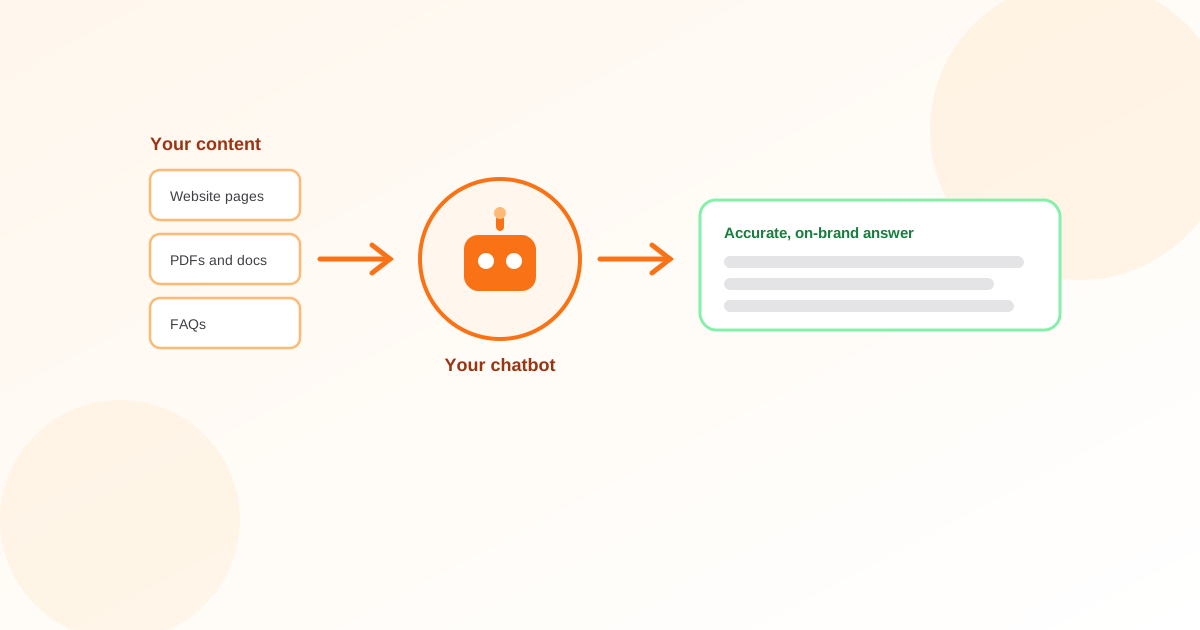
- 2Feed it your knowledge: crawl your website, upload PDFs, and add your FAQs.
- 3Customize the look — colors, welcome message, position — to match your brand.
- 4Copy the one-line embed snippet and paste it into your site, then publish.
- 5Test with the questions your customers really ask, and refine any weak answers.
Preview how an AI answers your questions in seconds.
Free AI Answer GeneratorTraining is what makes it accurate
A chatbot is only as good as what it knows. A general model knows the whole internet and nothing about your business, so it invents. A chatbot trained specifically on your content answers from your policies, your products, and your docs — which is what keeps it accurate and on-brand. The more relevant content you add, the fewer gaps it has.
Measure, then widen its job
Start it on your highest-volume questions, keep a human handoff one click away, and review transcripts weekly. As it proves itself, expand what it handles. A chatbot that earns trust gradually beats one that overpromises on day one and burns it.
Add a chatbot trained on your own content — free to start.
Build your chatbot with StellahFrequently asked questions
How do I add a chatbot to my website?
Choose a no-code AI chatbot platform, train it on your content (crawl your site, upload documents, add FAQs), customize its appearance, then paste the one-line embed snippet into your site and publish. No developer needed.
What makes a website chatbot actually good?
It answers from your real content in natural language, admits when it's unsure, and hands off to a human with full context. The rigid, menu-only chatbots that can't understand a rephrased question are the ones people hate.
Is there a free chatbot for websites?
Yes. Many AI chatbot platforms have a free tier that lets you train a chatbot on your content and embed it with one line of code, which is enough for a small site to get real value before upgrading.
How do I stop a chatbot from giving wrong answers?
Ground it in your own content instead of a general model, tell it to escalate to a human when unsure rather than guess, and review transcripts to fill gaps. Accuracy comes from good training plus honest handoff.