How to Train an AI Chatbot on Your Own Website and Documents (No Code)
By the Stellah Team · Updated July 18, 2026
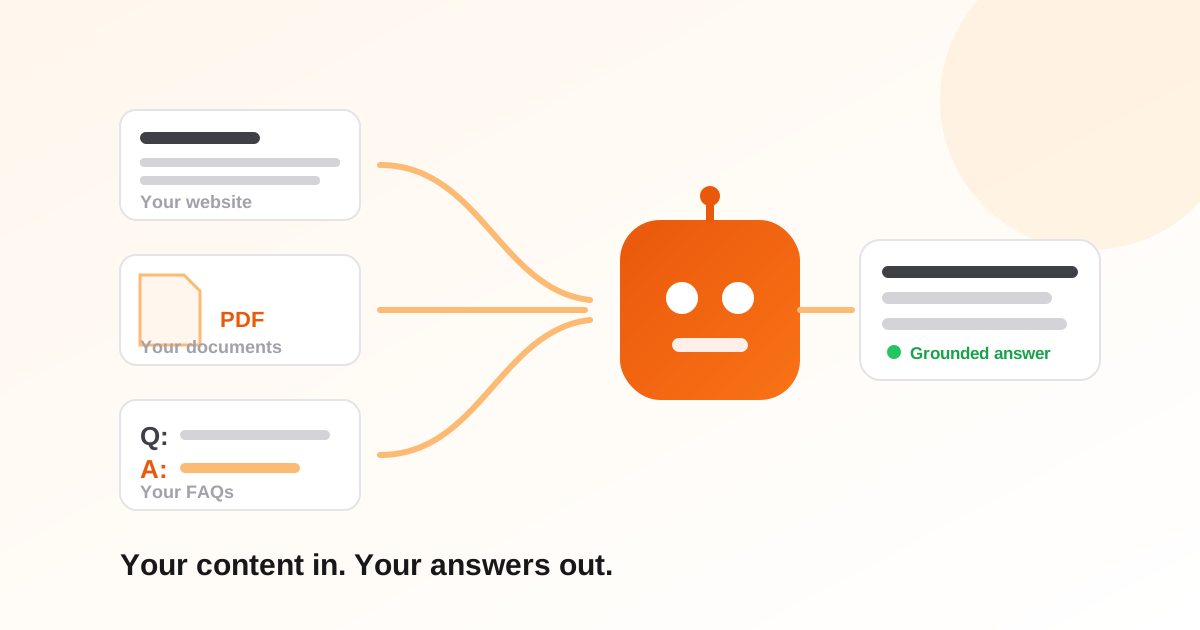
A generic chatbot knows everything about the world and nothing about your business — which makes it useless for support. The fix is training on your own content: your pages, your PDFs, your FAQs. Here's how that actually works, and how to do it without writing code.
How 'training' really works (plain English)
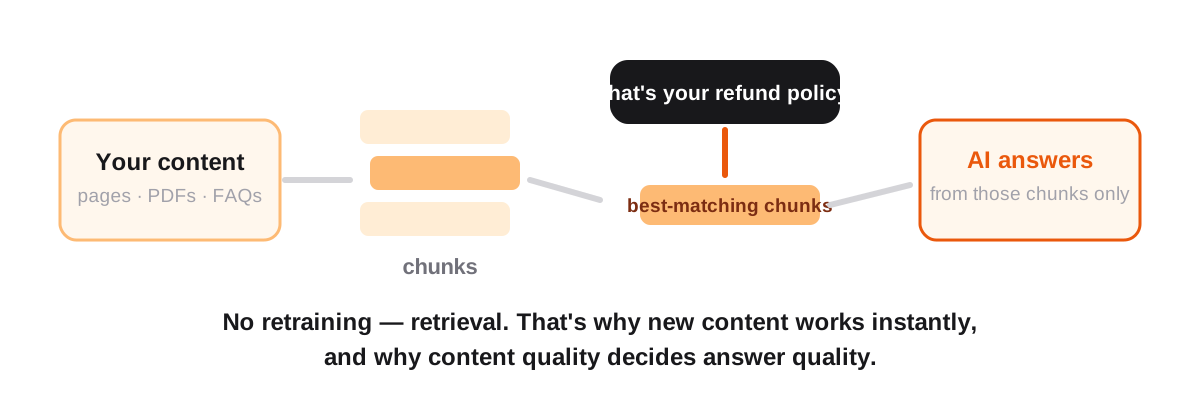
Modern support bots don't retrain an AI model on your data. They use retrieval: your content is split into chunks, and when a visitor asks something, the most relevant chunks are found and handed to the AI with the instruction 'answer from this.' That's why it can quote your actual refund policy — and why the quality of what you feed it decides the quality of every answer.
Step 1: Gather the content that answers real questions
- Your website's key pages — pricing, shipping, product details, policies
- PDFs you already maintain — manuals, onboarding guides, spec sheets
- Your support inbox — the answers you keep retyping are the highest-value training data you own
- FAQs — even rough question-and-answer pairs punch above their weight, because they match how visitors actually phrase things
Step 2: Feed it in (minutes, not weeks)
In Stellah this is the Knowledge Base page: crawl your site by URL, upload PDFs, or paste text and FAQ pairs directly. Other platforms follow the same pattern. The bot can answer from the new content immediately — there's no training delay because nothing is being retrained.
Step 3: Test like a difficult customer
Before going live, attack your own bot. Ask the same question three ways. Ask something adjacent-but-unanswerable and check it admits the gap instead of improvising. Ask your top ten repeat questions verbatim from real tickets.
The single most important behavior to verify: when the bot doesn't know, it should say so and offer a human — not guess. A confident wrong answer costs more than no bot at all.
Step 4: Let it keep learning — with a human gate
Real conversations reveal what your knowledge base is missing. The safe loop: mine chats for recurring unanswered questions, draft answers automatically, but require an owner's approval before anything enters the live knowledge base. Auto-learning without review is how bots pick up wrong answers and leak details they shouldn't.
Try the experience first
Want to feel what document-grounded AI is like before setting anything up? Upload any PDF and interrogate it — same retrieval mechanics, zero setup:
Upload a PDF and ask it questions — free, nothing stored.
Chat with your PDF freeFrequently asked questions
Do I need to know how to code to train a chatbot?
No. Modern platforms take a URL to crawl, PDF uploads, or pasted text — the chunking and retrieval happen automatically. If you can attach a file to an email, you can do this.
How long does training take?
Minutes. Because retrieval doesn't retrain a model, new content is answerable as soon as it's indexed — add a page now, ask about it now.
What content makes a chatbot smartest?
Your support inbox is the gold mine: the answers you keep retyping match real question phrasing exactly. After that, policy pages, product details, and FAQ pairs.
Can the chatbot answer wrongly?
It can — which is why the non-negotiable behavior is admitting gaps and offering a human instead of guessing. Test it with unanswerable questions before launch and after every big content change.
Does my data train the AI company's models?
It shouldn't — with retrieval-based systems your content is stored for lookup, not baked into a model. Check the vendor's policy; Stellah doesn't train on your content.